


...

Advertise with Southern Boating & Yachting

Since 1972, boat owners from across the United States have planned their time on the water with us. From the Bahamas and Caribbean to the Great Lakes and beyond. Put your brand in front of them in print, online, in their inbox, and on video.

James Anderson

Director of Sales
Send James a message →

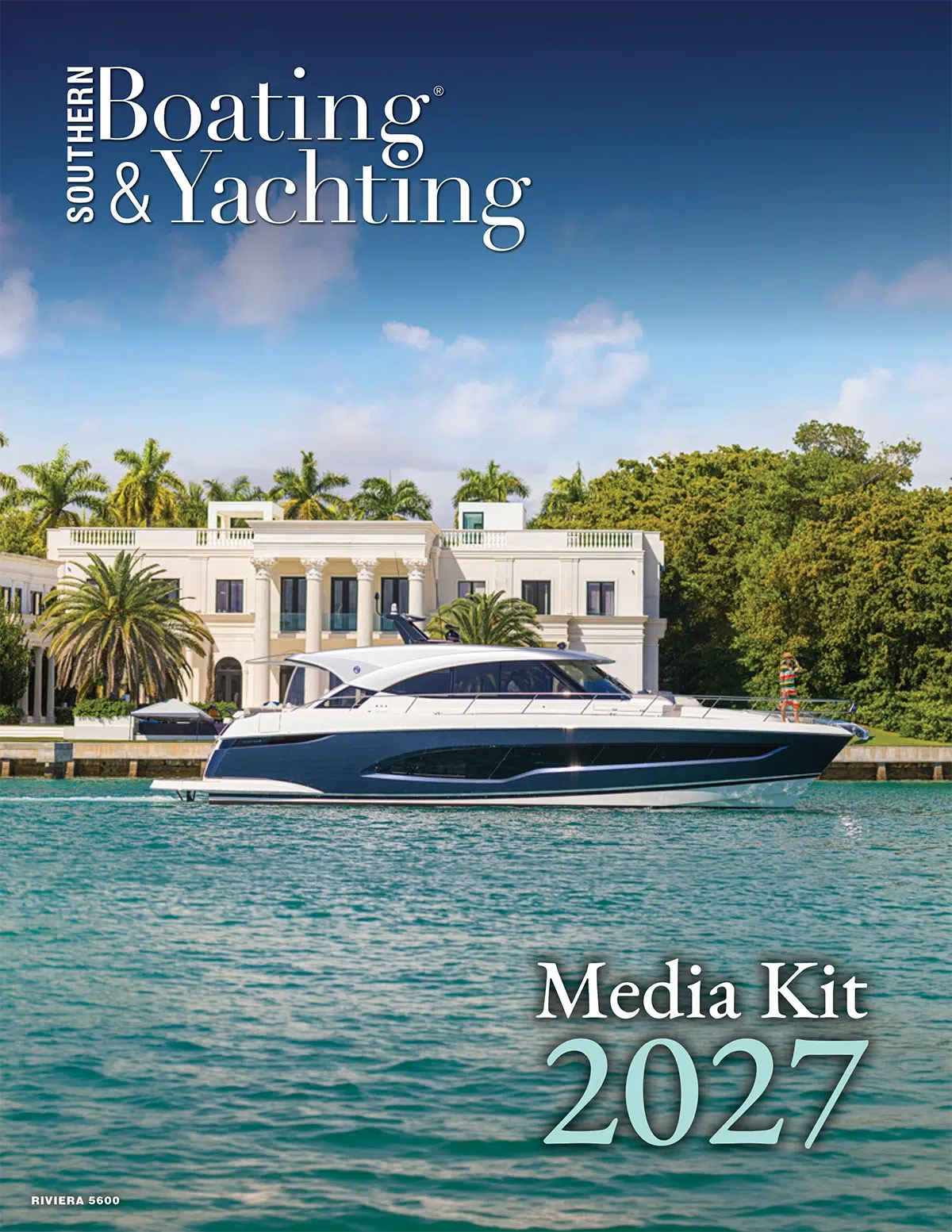
Southern Boating Media Kit Cover 2027

2027 Media Kit

Everything you need to plan the year in one PDF:
• Who reads Southern Boating & Yachting
• Print and digital rates
• The 2027 editorial calendar

See How Our Digital Placements Work

Dedicated E-Blast

Who You'll Reach

Owners Who Cruise

Our readers own their boats and use them: coastal and offshore passages, extended trips to the Bahamas and the Caribbean, fishing, and long days at the sandbar.

Buyers and Upgraders

They read our boat reviews and buyer's guides before they buy, whether that's their first boat or a step up to something larger.

Readers for Generations

Many grew up with Southern Boating & Yachting in the house and now share it with their own families. It's a loyal audience, not a transactional one.

Ad Specs

Print magazine Digital edition Website display Sponsored content E-blasts Newsletter Social media YouTube SBYTV

Print Material Requirement

*Please make sure your ad meets all the requirements for printing. This will insure there are no errors when printing.

• Exported as High Resolution PDF-PDF/X-1a files (ISO15930-1:2001) with all images and fonts embedded. High resolution TIFF or EPS are also acceptable. 

• All images in your ad should be CMYK, minimum of 300 dpi at 100% placement size.

• Convert all RGB and SPOT colors to the CMYK press.

• No Crop marks, color bars, registration marks, or page information should be included. If you wish to include this information, please make sure to offset your information so it doesn’t fall within your bleed. 

*All measurements listed width by height. Double Page Spread ads and Full Page ads include a .1875″ on all sides bleed. Files supplied as RGB, Spot, or Pantone colors will automatically be converted to CMYK, the publisher takes no responsibility for color variations this may cause. If files provided have trim, bleed, registration marks, and color bars in the bleed area, publisher is not responsible for trimming variations this may cause. 

Print Specs

Below are the specs for building your print ad.

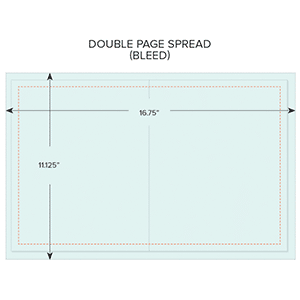
DOUBLE PAGE SPREAD

TRIM: 16.25"W X 10.75"H
BLEED: set. .1875" all around
LIVE AREA: set margins to .5" all around
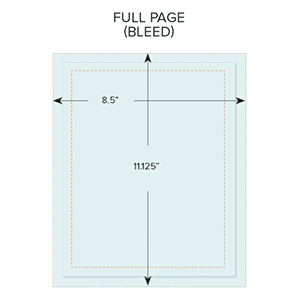
FULL
PAGE

TRIM: 8.125"W X 10.75"H
BLEED: add .1875" all around
LIVE AREA: set margins to .5" all around
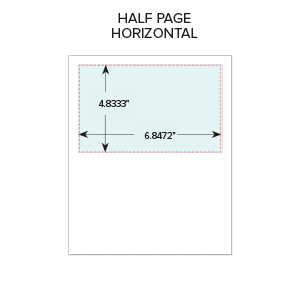
HALF PAGE HORIZONTAL

TRIM: 6.8472"W X 4.8333"H
BLEED: None
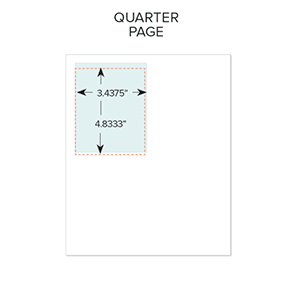
QUARTER
PAGE

TRIM: 3.4375"W X 4.8333"H
BLEED: None

Before exporting your print ad..

Please make sure to follow the steps below to properly export your artwork. This will ensure your ad doesn't get kicked back during our preflight process.


• Make sure your artwork meets the print requirements listed at the top of this page.

• In InDesign, navigate to "File" then "Export"

• Name your artwork and choose your file destination

• Set format to: Adobe PDF (Print) and press "Save"

• A new window should appear. Leave all the settings under "General" the same except if you are exporting a Double Page Spread, then make sure to export as a spread versus pages.

• Navigate to "Marks & Bleeds" on the left-hand side of the window.

• Uncheck all boxes and check "Use Document Bleed Settings"

• Select "Export" and then you can upload your artwork via the portal below.

Want an easier way to export?

Streamline your creative process and save time by setting up an export preset. Download the SoBo Print Export Preset and follow the instructions below to upload it to your computer.

• Download the" SoBo Print Export Preset" to your Desktop via the button below

Open InDesign, navigate to "File" then "Adobe PDF Presets"

• Select "Define" and a new window should appear

• Select "Load" and then select your saved preset from your desktop and press "Open"

• Once you have loaded your preset you can select "Done"

SoBo Print Export Preset

Talk to James

Tell James what you want to promote and when. He’ll put together the right mix of print and digital for your budget.

James Anderson

Director of Sales
Send James a message →